Lighting: Adjust for the Light You Have
Not every creator records inside a dedicated soundstage with three-point Arri or Aputure fixtures. Sometimes you are filming beside a north-facing apartment window, in front of a compact desk ring light, or inside a conference room with overhead tubes. Rather than fighting your light with heavier coverage, adjust your colour placement and contrast to match the physics of your room.
How Colour Temperature Shifts Your Undertone
Digital cameras attempt to neutralize ambient light using Auto White Balance (AWB). When you move your hands or lean closer to a white slide deck on your monitor, AWB shifts the colour matrix of the video feed—often turning subtle makeup unnatural.
Household lamps intensify orange and yellow tones while turning cool berry lips or grey contour muddy brown.
Ideal setting for bi-color desk LEDs; preserves true blush and lip colours across fair to deep skin.
Mimics midday sky; drains warmth from cheeks and reveals faint blue-violet veins under the eyes.
Bright spreadsheets or browser windows throw cool blue light upward onto the lower face.

Balancing Asymmetrical Side Daylight
When a window sits to your left or right, the side of your face closest to the glass loses about 30% of its colour saturation on camera, while the far side drops into deeper shadow. Instead of applying darker contour on the shadow side—which makes that cheek look hollow and tired—place a tiny extra touch of cream blush on the window-lit cheek so both sides match on screen. Use a peach, apricot, or warm orange-red corrector specifically under the shadow-side eye.
Restoring Depth Flattened by Frontal Light
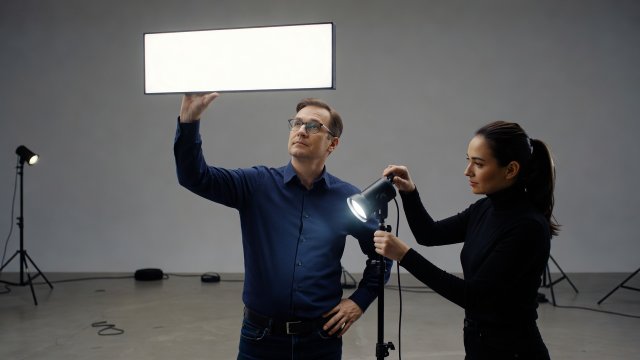
A ring light or single on-camera panel mounted directly behind the lens pushes every shadow directly behind your head. While this smooths fine lines, it also erases the natural shadow under your cheekbones and jawline, making the face appear wider and flatter. Restore natural structure with a matte, neutral-toned sculpting powder swept lightly beneath the jaw hinge and along the outer temples.
Fixing Unflattering Overhead Room Lights & Monitor Glare
When recording from a hotel room, co-working booth, or classroom where you cannot turn off ceiling lights, make these three targeted swaps.
Lift the Brow Bone & Inner Eye
Overhead fixtures cast downward shadows from your brow bone right over your eyelids. Skip dark smoky eyeshadows completely; sweep a matte cream shadow one shade lighter than your skin tone across the mobile lid and inner tear duct to bounce light back out.
Neutralize Nasolabial Shadows
Downward light deepens the lines running from the nose to the corners of the mouth. Tap a thin trace of light-reflecting concealer right into the deepest point of that shadow fold and blend with a small brush.
Counteract Blue Screen Glow
If you present while reading notes off a bright monitor in a dim room, switch your screen to Dark Mode or warm night-shift, and use a warm coral, terracotta, or rose-brown lip colour to prevent your mouth from looking grey-purple.
Pre-Lighting Makeup Checklist
Run through these four checks once your lights are warmed up and positioned.